Google releases a new tool to analyze your images
We already know that Google has a lot of control over what we do and visit on the internet. Similarly, a lot of our images and videos are also available on Google’s servers thanks to Google Photos. Now, some people believe that it is not healthy to share anything and everything online whereas others
We already know that Google has a lot of control over what we do and visit on the internet. Similarly, a lot of our images and videos are also available on Google’s servers thanks to Google Photos. Now, some people believe that it is not healthy to share anything and everything online whereas others feel its alright.
Google has just released a new tool which wants even more access to our image. This new tool, named Google AI Image Analysis, analyzes your photos. As the name suggests, this new tool from Google users Artificial Intelligence and Machine Learning. With the use of AI and ML, the tool lets you know what the image is relevant for.
Now, the tool is more for Google’s AI and ML algorithms to learn about images rather than you wanting to know about your photo’s relevance. This tool is a part of Google’s Cloud Vision products too. With this tool, you can understand how Google or its algorithms analyze your image.
Why would you want to do this is because it will become easier for you to use Google’s Cloud Vision API. With this API, you can provide image analysis on your app or website. Therefore, you can make Google’s Image Analysis better by using and improving this tool.
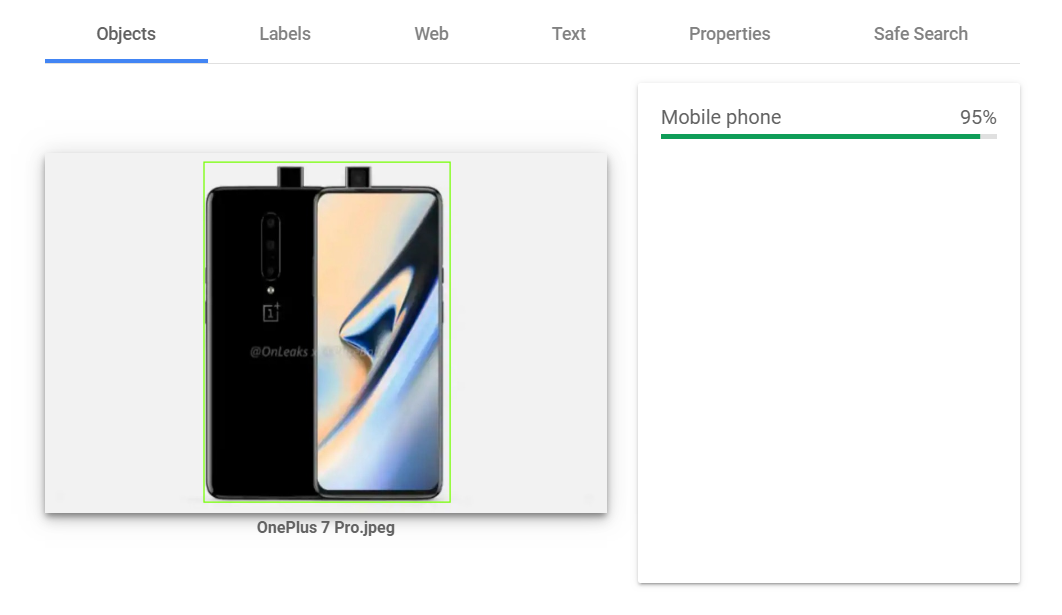
Google’s AI Image Analysis tool analyzes your image in seven different ways. Once you upload your image, the tool separates an image with Face, Objects, Labels, Web Entities, Text, Properties and Safe Search.
Now, you can also try and upload an image on Google’s Cloud Vision tool for image analysis right now. Once you upload the image, the tool will analyze your image in the different ways mentioned above. If you visit the Web tab, Google will show you what the image is for based on its presence on the Web. In our testing, the tool worked pretty well to show an image’s relevance on the web.
More in Internet Marketing
View allThe Complete Guide to SEO in 2026
A comprehensive, practical guide to search engine optimization in 2026 — how search works now, the three pillars, keyword and content strategy, technical SEO, links, and how AI is changing the game.
Google’s Core Updates in 2026: What Keeps Changing, and What Doesn’t
Google keeps rolling out broad core updates, and site owners keep asking the same question. Here’s a grounded look at the pattern behind the volatility.
How to Improve Your Google Rankings: What Actually Works
A grounded guide to improving where you rank on Google — the levers that genuinely move rankings, minus the myths and shortcuts.