Samsung officially announces OneUI 7 rollout for its devices from April 7
Samsung has announced the official rollout of One UI 7, set to begin on April 7. This new version of Samsung’s custom user interface brings a bold redesign aimed at improving personalization and enhancing user control. One UI 7 is designed to offer a more intuitive and streamlined experience, featur
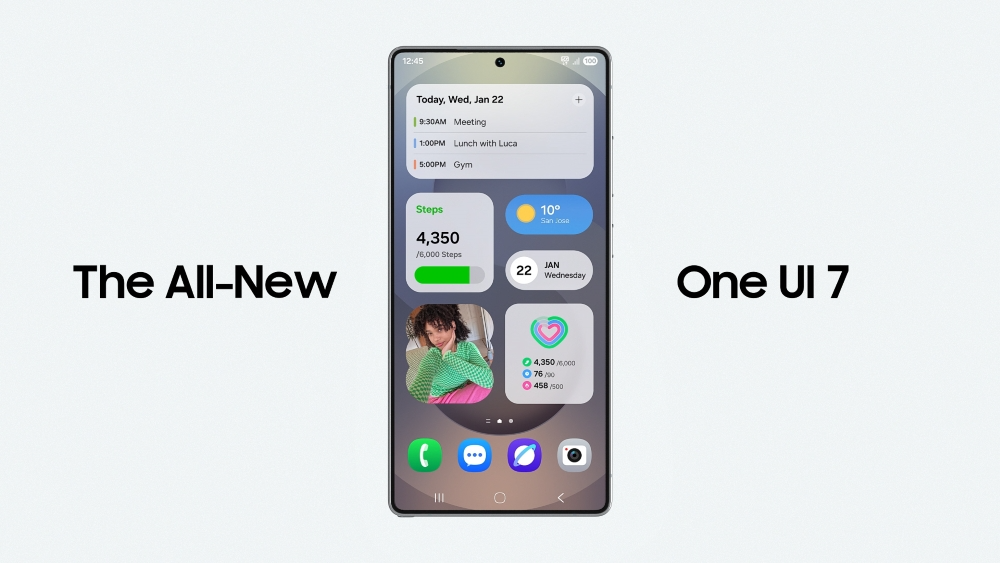
Samsung has announced the official rollout of One UI 7, set to begin on April 7. This new version of Samsung’s custom user interface brings a bold redesign aimed at improving personalization and enhancing user control. One UI 7 is designed to offer a more intuitive and streamlined experience, featuring a wide range of AI-driven features that will make interacting with Galaxy devices more natural and seamless.
The update will initially be available for the Galaxy S24 series, Galaxy Z Fold6, and Z Flip6. Over the coming weeks, it will gradually expand to other Galaxy smartphones and tablets, including the Galaxy S23 series, Galaxy Tab S10, and Tab S9 series. One UI 7 promises to provide Galaxy users with a simpler, more cohesive interface that allows for greater customization across devices.
A major highlight of One UI 7 is its new design, which brings a simplified home screen, redesigned widgets, and a customizable lock screen. Users can easily personalize their devices to suit their preferences, making everyday interactions smoother and more engaging. Additionally, the new “Now Bar” feature provides real-time updates directly on the lock screen, allowing users to quickly access information such as workout progress or the current song playing through their Galaxy Buds, without unlocking the device.
One of the key innovations in One UI 7 is its AI integration. The Galaxy AI system is designed to simplify everyday tasks by reducing the need for users to switch between different apps. For instance, the new AI Select feature can recommend actions based on context. A user watching a video can swipe the Edge Panel and use AI Select to instantly save a clip as a GIF. Another notable feature, Writing Assist, allows for automatic text summarization and formatting, further enhancing productivity.
Creative users will benefit from advanced tools like Drawing Assist and Audio Eraser. Drawing Assist allows users to create more detailed artwork by combining text prompts, images, and sketches. Meanwhile, Audio Eraser provides an easy way to remove unwanted background noise from videos, empowering creators with greater control over their content.
One UI 7 also integrates deeper Google Gemini functionality, allowing users to perform tasks using natural language. By simply long-pressing the side button and speaking a command, users can search for things like local restaurants or adjust settings based on specific needs, such as reducing screen brightness when their eyes feel tired.
More in Business
View allHow Online Businesses Are Actually Valued
A practical guide to the four core drivers of digital business valuation: multiples, revenue quality, risk profiles, and operational transferability.
How Online Businesses Are Valued: Multiples, Risk, and Transferability
Learn how online businesses are valued using cash flow multiples, recurring revenue models, and operational transferability.
The One-Person Online Business in the Age of AI
Discover how artificial intelligence is redefining what a single operator can build, run, and scale without a traditional team.